agent session monitoring
What Is Agent Session Monitoring? 2027 Guide for Agent Teams
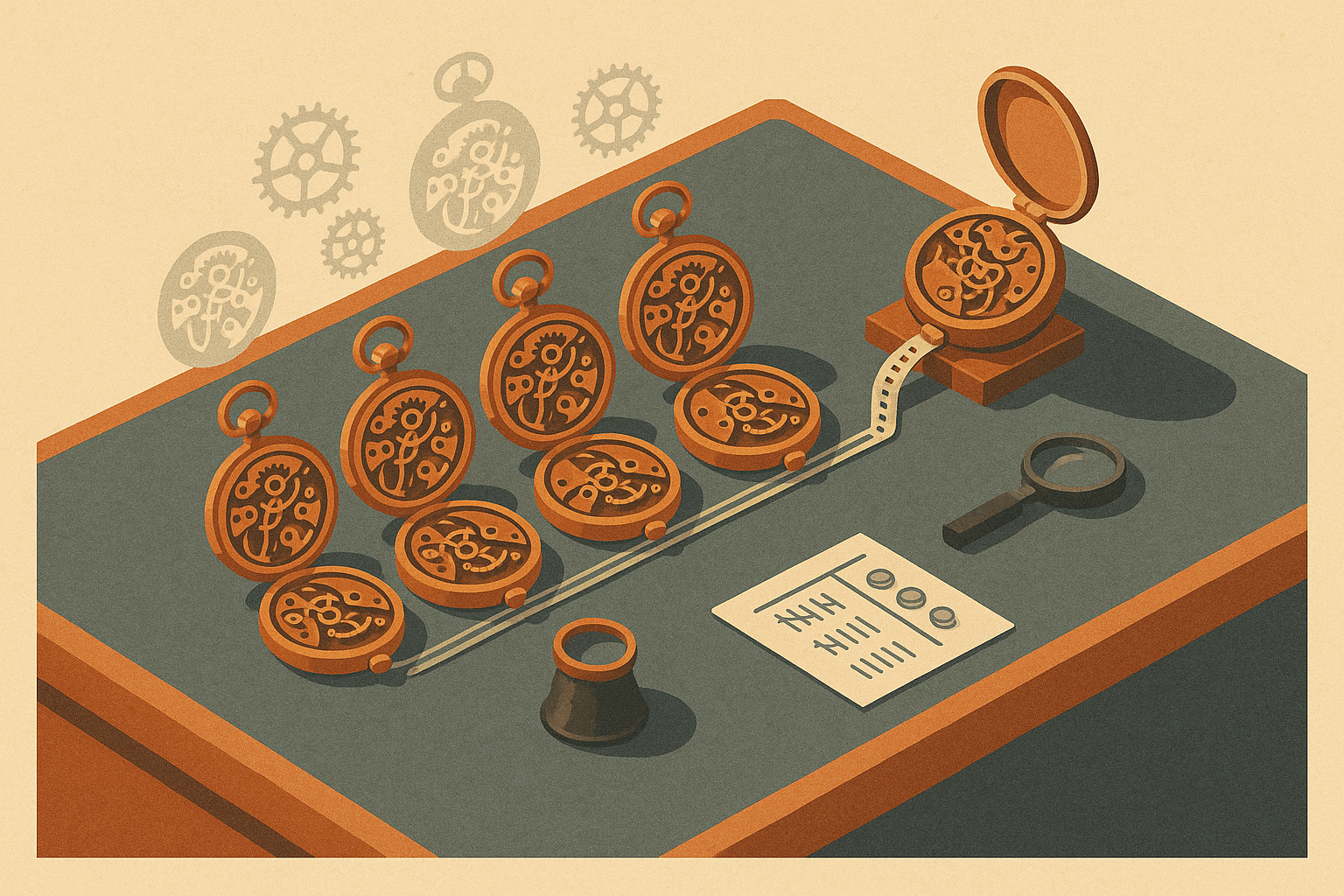
An engineering manager has five engineers running Claude Code, Codex and Cursor all day. Ask her what the agents did last week, what the billing refactor cost, or which work got redone by two different people, and she has no answer. The invoices arrive, the PRs merge, and the details in between are lost. This guide defines agent session monitoring and gives you a spreadsheet method you can start this week. It then walks through a two-week example and covers the point where a tool like ZeroShot should take over the parts that stop working by hand.
What Is Agent Session Monitoring?
Agent session monitoring is the practice of recording, for each task, what each coding-agent session was asked to do, what it produced, how many retries it took and what it cost. The team then reviews those records to find repeated work and turns that work into reusable instructions that agents read on their next attempt.
The problem it addresses fits in one line: every agent session starts from zero. A fact that one engineer's agent works out on Tuesday, such as how the auth token refresh works, gets worked out again by another engineer's agent on Thursday, and the team pays for it a second time.
The unit of analysis is the task, meaning the ticket, PR or issue. It is not the session and it is not the engineer. One task often spans several sessions, sometimes across more than one agent.
What agent session monitoring is not
- It is not LLM application observability. Tools like LangSmith, Langfuse, Arize Phoenix, Helicone and Datadog LLM Observability trace model calls inside a product you ship. Agent session monitoring tracks interactive developer sessions in Claude Code, Codex and Cursor.
- It is not a seat-based usage dashboard. Provider consoles report spend per user, seat or API key. They don't report spend per ticket, and they don't show retries.
- It is not employee surveillance. It measures task types and agent behavior: retries, rediscoveries and cost. It does not measure hours, keystrokes or individual rankings.
The three questions it answers
- What did the agents do?
- What did it cost per task?
- What work got repeated, and why?
Monitoring only pays off when it feeds a loop. Sessions show you repeated discoveries. Those discoveries become written conventions or skills. PRs are then checked against those skills. A dashboard that nobody acts on is just a more expensive way of not knowing.
Why It's Hard: What Breaks When Nobody Watches Agent Sessions
Without session monitoring, a team running coding agents pays repeatedly for the same knowledge, can't see where agents struggle, and catches mistakes only after the tokens are already spent. Agent use is now routine. The Stack Overflow Developer Survey 2025 found that 84% of respondents use or plan to use AI tools in development, and about half of professional developers use them daily. That makes the visibility gap a routine problem too. It shows up in six specific ways.
Repeated discovery
Each session re-learns the same codebase facts: how auth tokens refresh, which migration pattern the team uses, where the rate limiter lives. No session inherits what a previous one figured out unless someone wrote it down in a place the agent reads.
Retries are invisible
Suppose one agent needed four attempts and a human correction and another got it right on the first try. In the merged PR, the two look identical, and the cost of the miss never reaches anywhere a lead looks. In the 2025 Stack Overflow survey, 66% of developers named “AI solutions that are almost right, but not quite” as their top frustration, and 45% said debugging AI-generated code takes more time. Output that is almost right is exactly what produces retries.
Cost is attributed to the wrong unit
Provider billing shows spend per seat or per key. It never shows spend per ticket, so nobody knows which kinds of tasks are expensive.
Session data is fragmented
Claude Code stores transcripts as JSONL under ~/.claude/projects/. Codex CLI keeps rollouts under ~/.codex/sessions. Cursor keeps its own history. No single view covers a mixed-agent team.
Context dies at handoff
When an engineer is out or reassigned, the half-finished session goes with them, including its reasoning and its dead ends. The next person starts over.
Conventions get enforced too late
A wrong error-handling pattern or a skipped logging convention gets caught in PR review. By that point the agent has already spent tokens building the wrong thing, and a reviewer spends time explaining the convention again.
The six failure modes, in one line each:
- Repeated discovery: every session re-learns the same codebase facts.
- Invisible retries: failed attempts leave no trace in the merged PR.
- Wrong cost unit: billing is per seat or key, never per task.
- Fragmented data: each agent stores history in its own format and location.
- Lost handoffs: session context disappears when ownership changes.
- Late enforcement: convention violations surface in review, after the spend.
The Method: A Session Review Loop Any Team Can Run This Week
You can start agent session monitoring with a shared spreadsheet, about two minutes per task and 30 minutes a week, with no tool and no budget. The loop has six stages: Log → Tag → Measure → Review → Codify → Enforce. It runs in eight steps.
- Create the session log.
- Log at task close, not during work.
- Record retries and cost honestly.
- Tag repeated work.
- Run a 30-minute weekly review.
- Codify the top three.
- Enforce at PR.
- Measure next week.
Step 1: Create the session log
Make one shared spreadsheet with one row per task, not per session.
| Column | What to record | Purpose |
|---|---|---|
| Date | Day the task closed | Week-over-week comparison |
| Engineer | Who owned the task | Follow-up questions only, never rankings |
| Ticket / task ID | Issue or PR reference | Ties cost to a unit of work |
| Agent used | Claude Code, Codex, Cursor, or several | Spots agent-specific patterns |
| Sessions | Number of sessions on the task | Shows fragmentation and restarts |
| Retries | Re-prompts after a wrong result | Main signal of missing knowledge |
| Human corrections | Times a person edited the agent's output by hand | Shows misses that retries don't capture |
| Approx. token cost | Dollars, rounded | Relative cost between task types |
| Outcome | Merged / reworked / abandoned | Separates waste from progress |
| What the agent had to figure out | Free text, plain words | Raw material for skills |
| Repeat tag | Short label, added at review | Groups identical discoveries |
Step 2: Log at task close, not during work
Fill in the row when the PR opens or when the task is abandoned. Logging mid-session is the first habit to fail, because nobody stops a working agent to update a spreadsheet.
Step 3: Record retries and cost honestly
A retry is any re-prompt made because the output was wrong or ignored a convention. Clarifying the spec doesn't count. For cost, use each agent's own display (in Claude Code, the /cost command shows the current session's usage) or the provider's billing dashboard. Rounding to the nearest dollar is fine, since the goal is relative cost between task types.
Step 4: Tag repeated work
Write the discovery in the plainest terms you can, such as “how we paginate the internal API.” During review, give identical discoveries the same short tag, such as PAGINATION or AUTH-REFRESH. A tag that appears across two or more engineers is the signal you're looking for.
Step 5: Run a 30-minute weekly review
Sort by tag frequency, then by retries, then by cost. Answer three questions. Which discoveries repeated? Which task types needed the most retries? For each cluster, was the cause missing knowledge, a bad spec, or a broken environment? Only knowledge problems get skills.
Step 6: Codify the top three
Turn the three most-repeated discoveries that were caused by missing knowledge into short skills. Put them where agents actually read: AGENTS.md (read across agents, including Codex), CLAUDE.md, .cursor/rules/*.mdc, or a skills/ folder with SKILL.md files. Each skill states the rule and gives one correct example and one wrong example, all in under a page. A convention that lives in Confluence or Notion is invisible to the agent.
Step 7: Enforce at PR
Add a checklist item to the PR template, for example: “Touches pagination, auth or rate limiting? Follows the matching skill?” Reviewers then cite the skill by name instead of explaining it again.
Step 8: Measure next week
Compare retries and cost on tasks that hit a codified tag against the previous week. Keep the skills that reduced retries. Rewrite or delete the ones that didn't.
Worked Example: A 6-Engineer Team's First Two Weeks
This is an illustrative walkthrough built to show the reasoning. It is not a customer case study, and every number is hypothetical.
Setup. Six engineers split across Claude Code, Codex and Cursor. The spreadsheet goes live on Monday, and the review happens on Friday.
Week 1 data. The team logs 41 tasks across about 70 sessions. Three tags recur across multiple engineers: AUTH-REFRESH (5 tasks, 4 engineers), MIGRATIONS (4 tasks) and RATE-LIMIT (3 tasks). A fourth, FLAKY-TEST-SETUP, shows up on 3 tasks. Tagged tasks average 2.6 retries, compared with 1.3 for untagged tasks, and cost roughly twice as much each.
Decision 1: Write three skills. The team writes skills for auth token refresh, migration conventions and the internal API rate-limiting pattern. Each is under a page, has one right and one wrong example, and is committed to AGENTS.md and the matching Cursor rules file.
Decision 2: Reject the fourth candidate. FLAKY-TEST-SETUP had as many tasks as RATE-LIMIT, but the cause was a broken test fixture, not missing knowledge. A skill would only add context tokens and teach the agent to work around a bug. The fix is to repair the fixture. This kind of triage is where the method depends on judgment.
Decision 3: Add a PR checklist. The team adds three lines to the PR template, one per skill.
Week 2 data. The team logs 38 tasks. Tasks touching AUTH-REFRESH and MIGRATIONS drop to about 1.2 retries. RATE-LIMIT stays above 2. The review shows why: the skill described the limiter but never said where to import it from, so agents kept guessing. The team rewrites it.
| Tag | Tasks (W1 / W2) | Avg retries W1 | Avg retries W2 | Action |
|---|---|---|---|---|
| AUTH-REFRESH | 5 / 4 | 2.8 | 1.2 | Skill written; keep |
| MIGRATIONS | 4 / 3 | 2.5 | 1.2 | Skill written; keep |
| RATE-LIMIT | 3 / 3 | 2.7 | 2.3 | Skill too vague; rewrite with import path |
| FLAKY-TEST-SETUP | 3 / 2 | 2.3 | 1.0 | No skill; fixture repaired |
Takeaway: the value came from choosing which three things to codify and from noticing that one skill was bad. The logging only made those two decisions possible.
Common Mistakes Teams Make With Agent Session Monitoring
Most failed attempts at agent session monitoring fail because of process mistakes, not missing data. These are the ones to watch for.
- Logging per engineer instead of per task. This turns monitoring into surveillance, discourages honest retry reporting and hides which task types are expensive.
- Tracking token spend but not retries. Cost tells you a task was expensive. Retries tell you why, and they point to knowledge the agent could have been given up front.
- Writing skills that are too long or too vague. Agents and reviewers both skim past a five-page convention doc. Practitioner guidance for
CLAUDE.md,AGENTS.mdand Cursor rules converges on the same advice: keep instructions short, specific and built around examples. - Skill sprawl. Codifying everything in week one buries the three things that matter. Cap new skills per week.
- Codifying without enforcing. A skill that nobody checks at PR time decays within weeks as new prompts drift away from it.
- Blaming the agent for bad specs. Many retries come from ambiguous tickets. A vague task description is a planning problem, and no skill or tool fixes it.
- Treating environment problems as knowledge problems. Flaky tests, broken local setup and slow CI all show up as retries, but they need engineering fixes. Monitoring tools, ZeroShot included, surface these problems. They don't repair them.
- Collecting data nobody reviews. A log without the weekly review is pure overhead. If the review gets skipped twice in a row, the practice is dead.
- Not agreeing on conventions first. If two senior engineers disagree on the migration pattern, writing a skill only encodes the argument. Settle the disagreement first, then write it down.
Gut feel won't catch these mistakes. In METR's July 2025 randomized trial, experienced open-source developers took 19% longer on tasks when allowed to use AI tools, yet afterward believed they had been about 20% faster. The sample was small (16 developers working on mature repositories with early-2025 tools), but the gap between perception and reality is the reason to measure per task.
When You Need Tooling
A shared spreadsheet works for 2–3 disciplined engineers. Past roughly four or five engineers, or a couple dozen agent sessions a day, manual logging compliance collapses. At that scale nobody logs sessions by hand, and the data that drives the whole loop goes missing. DORA's 2024 report found that a 25% increase in AI adoption was associated with an estimated 1.5% drop in delivery throughput and a 7.2% drop in stability. Adoption without a working feedback loop doesn't fix itself.
These signals mean you've outgrown the spreadsheet:
- Rows are filled in from memory days later.
- Retries are no longer recorded.
- Reconciling costs across mixed agents takes longer than the review itself.
- Handoffs still lose context.
- PR checklist items get ticked without anyone checking them.
At that point a tool has to take over four jobs: capturing sessions automatically across agents, extracting repeated discoveries into skills, making sessions handoff-able, and checking PRs against skills.
ZeroShot: Agent Session Monitoring Built for Teams
ZeroShot is agent session monitoring for the coding agents a team runs. It turns sessions and PR reviews into reusable skills and enforces those skills on every PR. It automates each stage of the loop described above.
- See every session across Claude Code, Codex, Cursor and other coding agents in one place.
- Turn sessions and PR reviews into skills, so repeated discoveries become instructions agents read on the first attempt.
- Hand off any session to a teammate, with its reasoning and dead ends intact.
- Block PRs that skip skills, and run PR reviews that cite your conventions by name.
- Get a daily Slack report on what shipped overnight, the time and money saved, and which skills to sharpen.
ZeroShot's skills are open source, and the product can run fully locally so code never leaves your machine. There is a free Mac app that needs no account, an Intel Mac build, and a CLI install: curl -fsSL https://tryzeroshot.com/install.sh | sh. Team plans are available through a demo. ZeroShot is SOC 2 Type II, GDPR and HIPAA compliant, and it comes from the team behind BuildBetter, with an optional BuildBetter MCP integration for teams that want it.
ZeroShot reports that its pilot teams, over a 90-day window, saw 3.7x faster delivery, 90% less wasted token spend per task and 67% less PR review time.
Other options and where they fall short
- Native agent instruction files (
AGENTS.md,CLAUDE.md, Cursor rules) are free and the right place to store skills. They provide no monitoring, extraction or enforcement. - Provider usage dashboards are useful for total spend. They report per seat or key, not per task, and they show no retries. Claude Code's OpenTelemetry export (
CLAUDE_CODE_ENABLE_TELEMETRY=1) adds session and token metrics, but those are tagged by user and session, so you still have to add task attribution yourself. - General LLM observability platforms trace model calls inside applications you ship. They are a poor fit for interactive coding-agent sessions on developer machines.
FAQ: Agent Session Monitoring
What is agent session monitoring?
Agent session monitoring is recording what each coding-agent session did, how many retries it took and what it cost, per task. The team then reviews those records to find repeated work and turn it into reusable skills or conventions.
How is agent session monitoring different from LLM observability?
LLM observability traces model calls inside a production application you ship, with tools like LangSmith, Langfuse or Datadog LLM Observability. Agent session monitoring tracks developers' interactive coding-agent sessions, such as Claude Code, Codex and Cursor, to reduce repeated work, retries and cost per task.
Can a team do agent session monitoring without a tool?
Yes. A shared spreadsheet with one row per task, a repeat-work tag and a 30-minute weekly review works for teams of about 2–3 disciplined engineers. Beyond roughly four or five engineers, or a couple dozen sessions a day, manual logging compliance breaks down.
What is the most important metric to track?
Retries per task. Token cost shows that a task was expensive. Retries show that the agent lacked knowledge it could have been given, or that the spec or environment was broken.
What is a skill for a coding agent?
A skill is a short written instruction, usually a rule plus a right and a wrong example. It is stored where the agent reads it (AGENTS.md, CLAUDE.md, Cursor rules or a skills folder) so the agent applies team knowledge on the first attempt.
Is agent session monitoring surveillance of engineers?
It shouldn't be. Done correctly, the unit of analysis is the task and the agent's behavior, not individual engineer productivity. Logging per task instead of per person is what keeps retry reporting honest.
Sources and Further Reading
- Observability (software), Wikipedia
- Code review, Wikipedia
- AGENTS.md, an open format for coding-agent instructions
- Stack Overflow Developer Survey 2025, AI section
- METR, “Measuring the Impact of Early-2025 AI on Experienced Open-Source Developer Productivity” (July 2025)
- Google Cloud DORA, Accelerate State of DevOps Report 2024
- ZeroShot
Stop Raw-Dogging Agents
Your agents are rediscovering the same codebase facts every day, and you're paying for each rediscovery. ZeroShot records every session, turns repeated discoveries into skills, lets any teammate pick up any session, and checks every PR against your conventions. It runs locally, and the Mac app is free with no account required.
Ship at the speed of insight.
ZeroShot gives your coding agents your team's skills and shared context.
Install BuildBetter CLI